


Gear
Best Running Apps for Samsung Galaxy Watch and Wear OS (2026)
Which running apps actually install on your wrist, which ones stay on your phone, and how to build a setup that covers tracking, training and music without the guesswork.
The short answer
- The running apps that genuinely run on a Samsung Galaxy Watch or another Wear OS watch are Samsung Health (already installed, and the Watch8 series adds a Running coach), Strava (a Wear OS app with a tile and a complication that can record with the watch GPS), Nike Run Club and adidas Running for free wrist tracking, komoot for routes, and Spotify for music without your phone. Edge is not one of them, and that is worth saying plainly: on Android, Edge is a phone app. It gives you the plan and the coaching, and your Galaxy Watch keeps doing the tracking.
- Samsung Health is the default for a reason. It is on the watch out of the box, it is free, and it needs no setup at all.
- Strava is the strongest third party choice if you want the run on your wrist and the social side afterwards.
- Runna, one of the best known structured plan apps, syncs with Garmin, COROS, Fitbit, Suunto and Apple Watch, and does not list Wear OS or Galaxy Watch. Plan apps living on the phone is normal on Android, not unusual.
160+
Training programmes behind the Galaxy Watch8 Running coach, from 5K to half marathon
£0
Cost to install Samsung Health, Strava, Nike Run Club, adidas Running, komoot and Spotify
20,000+
Members training with Edge across running, strength, HIIT and mobility
What are the best running apps for a Samsung Galaxy Watch?
The honest starting point is that the Galaxy Watch app world is smaller than the phone app world. Plenty of famous running apps have no watch version at all on Wear OS, even when they have one on Apple Watch. The useful question is which one you actually want on your wrist at 6am.
Six apps are worth knowing about. Samsung Health is the one already on the watch. Strava focuses on recording and sharing your runs, and it ships a proper Wear OS app that includes a tile and a complication you can use to quickly launch activities. Nike Run Club is built around free guided running, and Nike states that it is supported on all Wear OS watches. adidas Running is built around simple run tracking and lists Wear OS compatibility with two tiles, one for your stats over the past six months and one for quick starting an activity. komoot focuses on routes and navigation, syncs across your phone, desktop, tablet and Wear OS, and offers a komoot complication so you can launch it straight from your watch face. Spotify is the one nobody lists as a running app but everybody uses as one, and its Wear OS app plays music, podcasts and audiobooks without having your phone around.
Every one of those is free to install. The paid tiers sit on top, and none of them are needed to record a run.
What comes built in with Samsung Health?
Samsung Health is already on your Galaxy Watch, it is free, and for a lot of runners it is genuinely enough. It records the run, the heart rate, the pace and the route, and it feeds sleep and daily activity into the same place. If you are new to running, start here before you install anything else. You cannot get the setup wrong when there is no setup.
The newer piece is Running coach, which Samsung introduced on the Galaxy Watch8 and Watch8 Classic. You take a running level test, the watch analyses indicators including heart rate, VO2 max, distance and pace, and it picks a personalised plan from more than 160 training programmes covering 5K up to half marathon. You also get feedback after each run. Samsung lists the requirements as an Android phone on Android 10 or above, Samsung Health version 6.30.2 or above, and a Samsung account.
The limits are worth being clear about. It is running only, it is tied to Samsung hardware, and the plan comes from your data rather than from a person you can talk to. For a first 5K or a first half marathon that is often all you need.
| App | Runs on the watch itself | Best for | Free or paid |
|---|---|---|---|
| Samsung Health | Yes, pre installed on Galaxy Watch | Zero setup tracking, plus Running coach on Watch8 and Watch8 Classic | Free |
| Strava | Yes, Wear OS app with a tile and a complication | Recording runs and the community side afterwards | Free to install, paid subscription available |
| Nike Run Club | Yes, Nike states support on all Wear OS watches | Free guided runs and beginner friendly motivation | Free to install |
| adidas Running | Yes, Wear OS with two tiles | Straightforward tracking with quick start from the wrist | Free to install, paid tier available |
| komoot | Partly, syncs to Wear OS with a complication to launch it | Planning routes and navigating unfamiliar ground | First region free, paid region packs |
| Spotify | Yes, plays without your phone around | Music, podcasts and audiobooks on phone free runs | Free tier, Premium for offline listening |
| Edge | No, Edge is a phone app on Android, and on web | The training plan and real coach support behind your running | Free 7 day trial, then from £22.99 per month |
Best app for structured training plans
This is where Galaxy Watch owners hit the gap. Tracking apps are easy to find. Something that tells you what to do on Tuesday, and why, and what to change when your week falls apart, is harder.
On the watch itself, Samsung Health Running coach is the main option, and on the Watch8 series it is a good one. Off the watch, the structured plan apps mostly live on your phone. Runna, probably the best known name in that space, lists syncing with Garmin, COROS, Fitbit, Suunto and Apple Watch, and does not list Wear OS or Galaxy Watch support. So if you own a Galaxy Watch and you want a proper plan, the normal shape of that setup is a phone app for the plan and your watch for the run.
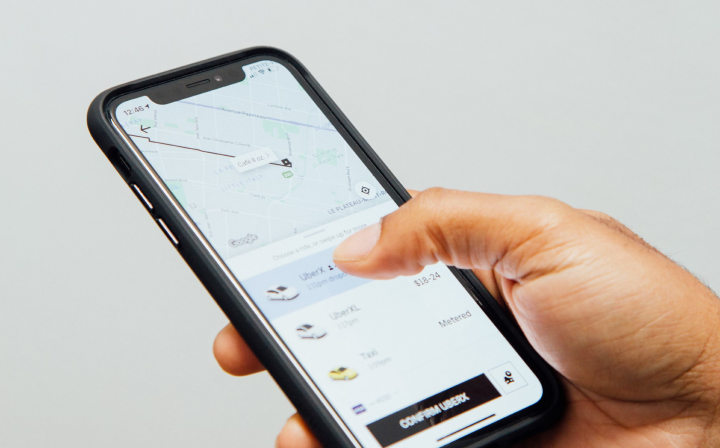
Edge fits that shape, and we want to be straight about what it is. Edge is a phone app on Android, plus a web version. There is no Galaxy Watch or Wear OS version of Edge, and it is not something you install on your wrist. What Edge does is the part your watch does not do. You answer some questions about your goal, your time and your equipment, and you get a fully personalised plan that is ready within a day. It covers running, strength, HIIT and mobility as one coordinated plan rather than four separate ones. You can message a real coach any time, and the plan flexes around your life when work, illness or a bad week gets in the way.
In practice your Galaxy Watch keeps doing what it already does well. You read the session on your phone, record it with Samsung Health or Strava, and the plan carries on. For runners who also want to lift, that beats running two unrelated programmes at once.
Train with Edge
A fully personalised plan across running, strength, HIIT and mobility, ready within a day. Message a real coach anytime.
Best app for tracking and community
Strava is the clearest answer here. It focuses on recording your activity and then giving it somewhere to live, with kudos, clubs, segments and a feed full of people doing the same thing. The Wear OS app includes a tile and a complication for quickly launching an activity, and it can record time, distance and heart rate on the watch itself when your watch has built in GPS. Strava is free to install, and the subscription adds extra analysis rather than unlocking basic recording.
Nike Run Club is the friendliest free option, and Nike states that it is supported on all Wear OS watches. adidas Running keeps things simple and gives you two Wear OS tiles, one showing your last six months of stats and one for starting a session in a single tap.
komoot is the one people forget. It is built around planning routes, with turn by turn voice navigation and offline maps, and it syncs across your phone, desktop, tablet and Wear OS with a complication that launches it from your watch face. If you are running somewhere new, it is the most useful app on this list.
Do you need your phone with you?
For the run itself, usually no. A Galaxy Watch with built in GPS can record distance, pace, route and heart rate on its own, and Samsung Health does that by default. Strava can also record on the watch when the watch has its own GPS, so you can leave the phone at home and still get the activity uploaded once you are back in range.
Music is the part that catches people out. Spotify on Wear OS is designed to play without having your phone around, and downloading playlists for offline listening is a Premium feature. Get the downloads sorted before you leave rather than discovering the problem two kilometres in.
A few things do still want the phone. Some safety and live tracking features depend on a connection when the watch has no mobile data of its own. And anything plan related, including Edge, is on the phone by design. That is not a problem in practice, because you read the session before you go and record the run on your wrist.
How to build a setup that actually sticks
Three apps is the sweet spot for most runners, and the total cost can be nothing at all. Keep Samsung Health for tracking, because it is already there. Add Strava if you want your runs to have a home and a bit of accountability. Add Spotify if you run to music. That covers the whole run without opening your wallet.
Add a fourth only if you want a plan rather than a record. That is the layer Samsung Health Running coach covers on the Watch8 series, and the layer Edge covers on your phone if you want strength and HIIT alongside the running, plus a coach you can message when something changes. Beyond that, resist installing more. Three apps you open beat six you ignore, and the tile or complication an app offers is usually what decides whether you keep using it.
Frequently asked questions
What is the best running app for a Samsung Galaxy Watch?
The apps that genuinely run on the watch are Samsung Health, which is pre installed and free and adds a Running coach on the Watch8 series, Strava, which has a Wear OS app with a tile and a complication and can record using the watch GPS, Nike Run Club and adidas Running for free wrist tracking, komoot for routes, and Spotify for music without your phone nearby. Edge is not a watch app and we would not claim otherwise. On Android, Edge is a phone app and a web app that gives you a fully personalised training plan and a real coach to message, while your Galaxy Watch handles the tracking.
Does Edge have a Galaxy Watch or Wear OS app?
No. Edge is a phone app on Android, and there is also a web version. It does not install on a Galaxy Watch or any other Wear OS watch. Edge is the plan and coaching layer, so you read your session on your phone and record the run with whatever your watch already uses.
Can I track a run on my Galaxy Watch without my phone?
Yes, if your watch has built in GPS. Samsung Health records distance, pace, route and heart rate on the watch itself, and Strava can record on the watch too. Some connected features, such as live safety tracking, may still need a phone connection when the watch has no mobile data of its own.
Is Samsung Health good enough on its own for a beginner?
For most beginners, yes. It is free, it is already installed, and it records everything a new runner needs. On the Galaxy Watch8 and Watch8 Classic you can also use Running coach, which sets your level with a running test and picks a plan from more than 160 programmes covering 5K to half marathon.
Does Runna work with a Samsung Galaxy Watch?
Runna lists syncing with Garmin, COROS, Fitbit, Suunto and Apple Watch, and does not list Wear OS or Galaxy Watch. Structured plan apps living on the phone is the normal setup for Galaxy Watch owners rather than a rare exception.

