


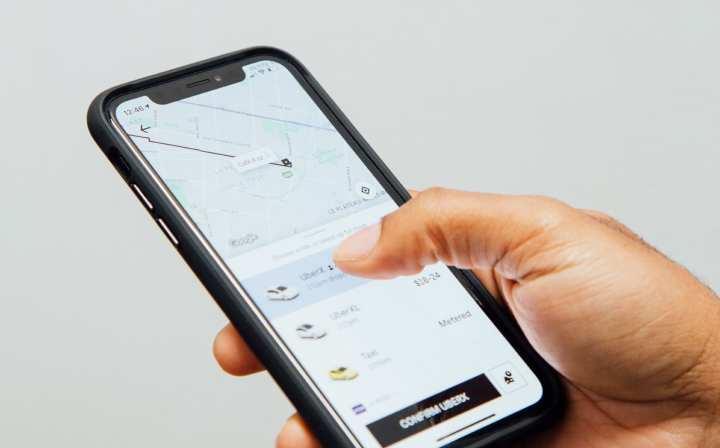
Edge Rewards launch day
Edge Rewards launch day: how to earn your first points on Sunday 8 November
Get the app, connect your watch or Strava, log one workout and watch your first points land, with the maths for a real first day and a simple first week.
TL;DR
- To earn your first points, get the free Edge app, connect Strava, Apple Health, Garmin or Coros, and log one workout. That is it.
- Edge Rewards opens to everyone on Sunday 8 November 2026.
- Free members earn 1 point per workout minute plus 2.5 points per 1,000 steps, up to 50 points a day.
- A 30-minute walk or run plus 6,000 other steps earns about 45 points.
- Points reset at the end of each calendar month, so a steady first week matters more than one huge session.
8 Nov
Edge Rewards opens to everyone, Sunday 8 November 2026
50
Points a day you can earn on the free plan
4
Services Edge syncs with: Strava, Apple Health, Garmin and Coros
To earn your first Edge Rewards points on Sunday 8 November, get the free Edge app, connect the service you already track with (Strava, Apple Health, Garmin or Coros), and log one workout. Every minute of that workout earns a point, and your daily steps add more on top, up to 50 points a day on the free plan.
Edge Rewards opens to everyone on Sunday 8 November 2026. It is our free rewards programme: the training you already do earns points, and you spend those points on real products from partner brands. Get rewarded for moving. This guide walks you through launch day step by step, shows the maths for an example first day, and gives you a simple first-week plan that is kind to your body.
What do you need to do on launch day?
Four things, and none of them take long:
- Get the free Edge app on your phone.
- Connect your tracking: Strava, Apple Health, Garmin or Coros. No watch? Manual entries count too.
- Log a first workout: a walk, a run, a gym session or a HIIT workout all count.
- Check your points in the app once the workout has come through.
Here is each step in a little more detail.
Step 1: How do you get the free Edge app?
Download Edge from the App Store or Google Play, or tap the button near the end of this article and the site will send you to the right store for your phone. The app is free, and Edge Rewards is free. Everyone earns and redeems points, whether or not you ever upgrade.
When you sign up, take a minute to set up your profile honestly. Tell the app roughly how active you are now. It is tempting to round up, but a realistic starting point keeps your first weeks safe and enjoyable.
Step 2: How do you connect Strava, Apple Health, Garmin or Coros?
Edge syncs with four services, and imports from all four count towards Edge Rewards. Connect the one you already use, so your sessions flow into Edge without any extra effort:
- Strava: the easy choice if everything you record already ends up there.
- Apple Health: the route for Apple Watch workouts and iPhone step counts, as they are saved to Apple Health.
- Garmin or Coros: connect the service your watch uses and your activities are imported.
- Manual entries: no device at all? Log the session by hand after you finish. It earns the same 1 point per minute.
Apple Health is an iPhone feature, so Android members will usually connect Strava, Garmin or Coros, or log by hand. For the detail on each route, read our guide to whether Edge Rewards works with Apple Watch, Garmin and Strava.
Step 3: What should your first workout be?
Something you will enjoy and finish feeling good. Launch day is not a test. Any logged workout counts by the minute, so a gentle session earns just as fairly as a hard one. Good first options:
- A 30-minute brisk walk: perfect if you are new or coming back after a break.
- A 30-minute easy run or run-walk: keep it at a pace where you could chat in full sentences.
- A 20 to 30-minute strength session: squats, push-ups against a wall or bench, lunges and rows are plenty.
- A short HIIT workout: 20 minutes, with a proper warm-up, if you already train regularly.
Start your watch or app at the beginning and stop it at the end, so the minutes are recorded accurately. If you log by hand, do it straight after the session while the details are fresh.
Step 4: How do you see your points?
Once your workout has synced or been logged, open the Edge app and check your points balance. Synced workouts can take a little while to come through from another service, so if a session is not there straight away, give it a few minutes and check that the connection in Step 2 is switched on.
From there you can browse the in-app marketplace. Rewards are gifted by partner brands and include a mix of free items and discounts, across categories like coffee and drinks, gels, snacks and bars, protein and supplements, and apparel and gear. As a rough guide, about a week of training is enough for a free coffee.
What does an example first day look like?
Here is the maths for a realistic launch day on the free plan:
- 30-minute walk or run: 30 minutes x 1 point = 30 points.
- 6,000 steps across the rest of the day: 6 x 2.5 points = 15 points.
- Total: 30 + 15 = 45 points.
We have counted cautiously here and only included steps taken outside the workout, rather than adding the walk's own steps on top of its minutes. Step points top out at 25 a day (10,000 steps), and workout and step points together cap at 50 a day on the free plan. Anything above 50 does not roll over to tomorrow.
Want to reach 50? Add a 10-minute evening stroll that you log as a workout, or simply walk another 2,000 steps. Either way, 45 points on day one is a great start.
What could your first week look like?
This beginner-friendly week starts on launch day and mixes walking or running, strength, a short HIIT session and two easy days. It sits close to the UK Chief Medical Officers' guidance of around 150 minutes of moderate activity a week plus strength work on two or more days, once you count everyday walking. Step counts are for time outside the workouts.
| Day | Session | Other steps | Free points |
|---|---|---|---|
| Sun 8 Nov | 30-min walk or easy run | 6,000 | 30 + 15 = 45 |
| Mon | Easy day, no session | 8,000 | 20 |
| Tue | 20-min HIIT or brisk walk | 6,000 | 20 + 15 = 35 |
| Wed | 30-min full-body strength | 6,000 | 30 + 15 = 45 |
| Thu | Rest day | 6,000 | 15 |
| Fri | 30-min walk or easy run | 6,000 | 30 + 15 = 45 |
| Sat | 30-min strength or mobility | 6,000 | 30 + 15 = 45 |
| Week total | 140 logged minutes | 250 points |
That is 250 points in your first week without a single day over 45 minutes of exercise. Notice that the easy day and the rest day still earn from steps. That is by design: rest days are part of training, and you never need to train every day to do well. For a closer look at a full week, see our example Edge Rewards week.
How do launch-day points fit with the monthly reset?
Points reset to zero at the end of each calendar month. Edge Rewards opens on 8 November, so November is a short first month: 23 days, from Sunday 8 to Monday 30 November. On the free plan the most you could earn in that time is 23 x 50 = 1,150 points, and a steady week like the one above would put you on course for roughly 800, which is plenty for several rewards.
The practical takeaway is simple: spend your points before the month ends rather than saving them up. Then 1 December starts a fresh month and a fresh balance.
What should you avoid in your first week?
The biggest risk on launch week is doing too much because it feels exciting. Points should make moving more fun, never push you into overtraining. A few simple rules:
- Do not chase the cap every day. The daily cap means a two-hour session earns the same as a 50-minute one on the free plan, so there is nothing to gain from going long.
- Keep at least one or two easy or rest days a week. Your body gets fitter while it recovers, not only while it works. Our guide to rest days for beginners explains why.
- Build up gradually. If you are new, start with walking and short sessions and add a little each week.
- Listen to niggles. Sharp pain, or an ache that gets worse as you go, is a reason to stop, not push through.
Where does Edge Pro come in?
You do not need Edge Pro to earn or redeem points. Pro members earn faster, with double points and no daily cap, and get access to exclusive prizes and secret offers. Pro also gives you a fully personalised plan across running, strength, HIIT and mobility, ready within 24 hours, plus a real coach you can message anytime.
Edge Pro is £22.99 a month, £84.99 every six months, or £129.99 a year (about £10.83 a month), after a 7-day free trial that needs a card. If you are not sure yet, start on the free plan, earn your first points on launch day and decide later.
Edge Rewards opens Sunday 8 November
Get the free Edge app, connect your watch or Strava, and start earning points for moving.
Get the appTrain with Edge
A fully personalised plan across running, strength, HIIT and mobility, ready within 24 hours. Message a real coach anytime.
This article is general guidance, not medical advice. If you are new to exercise, returning from injury, or managing a health condition, speak to your GP before starting, and see a physio for any niggle that does not settle.

